Acquiring a document
- It is read from its source, read-only.
- Its SHA-256 fingerprint is computed.
- The fingerprint is compared with the one the provider reports, where the provider gives one the app can recompute.
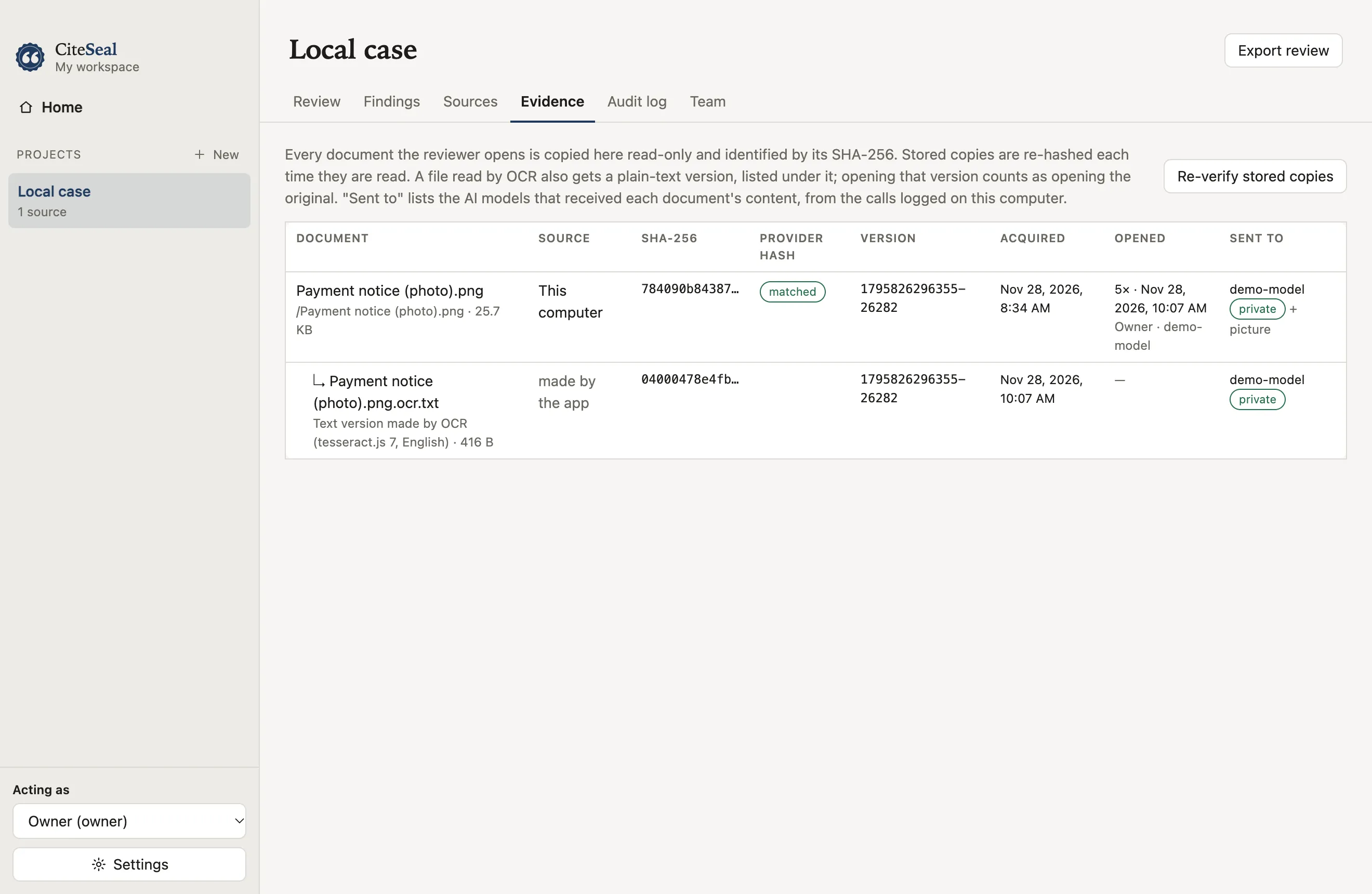
- A chain-of-custody entry is written: who, when, which file, which version, which fingerprint.
- No copies, unless you ask
By default a document is held only while a review step is reading it, then deleted. Next time, the app reads it from its source again and checks it against the fingerprint on record.
Turn on Keep a sealed copy of every document opened if you need the original to survive being changed or deleted at its source. A kept copy is re-checked against its fingerprint every time it is read.
- When a file changes
- The app refuses to read past the change, says so, and records it. Opening the file again records the new version as a separate entry; the earlier record stays.
- Read-only, by construction
- Cloud permissions are read-only, the connectors implement no write operations, and every request passes through a list of allowed read endpoints.
- Every time a document is opened
Each open, read, search, comparison or look writes an entry with the document and its fingerprint, the person the review ran for, the model and its address marked private or public, and the name and network addresses of the computer.
The computer's public address comes from a lookup service, icanhazip.com, asked at most once every ten minutes. It learns that your computer asked and nothing else. Whoever installs the app can name another service or turn the lookup off, and it is skipped when a review uses a private model and only local folders.
Quotes and highlights are tied to words, not coordinates
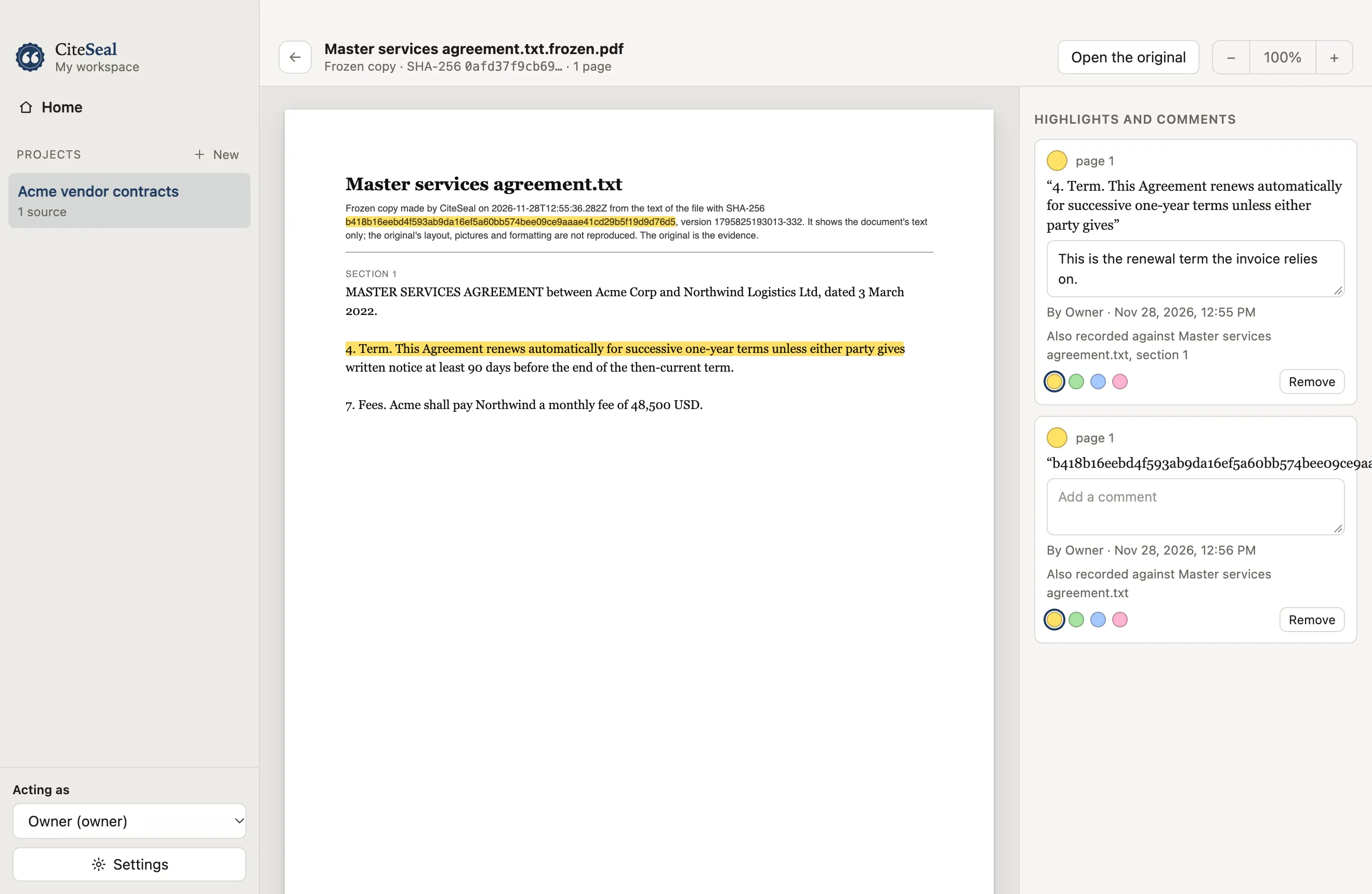
A finding is stored only if each quoted passage appears verbatim on the cited page of the stored text. Differences in spacing are ignored; nothing else is.
A highlight is a page plus exact words and is refused if those words are not on that page. That applies to highlights the AI assistant makes too.
A text document has no fixed pages, so the app can freeze it into a PDF of its text. The frozen copy has its own fingerprint and names the file it was made from. The original remains the evidence.
The audit log
Append-only and hash-chained. It records user actions, every tool call the model made, what was sent in each model call, and which endpoint and model produced each reply.
- 1Ownerreview.start········
- 2AI assistantevidence.access········
- 3AI assistantmodel.request········
- 4AI assistantfinding.record········
- 5Ownerfinding.review········
This miniature runs in your browser with made-up entries. The app's audit log works on the same principle: entries cannot be edited, each is chained to the one before it, and Verify chain recomputes the whole chain.
What the record does not prove
- That a document is genuine
- The app reports signs worth following up. It cannot establish that a document, signature or picture is authentic.
- That a summary is fair
- Only the quotes in a finding are checked. Whether the assistant's summary is a fair reading of them is what confirming is for.
- That OCR read the picture correctly
- OCR can misread characters, most often digits and names. A quote from OCR text is labelled so that a person checks it against the original.
- That metadata is true
- Authors, dates, software names and GPS positions inside a file can be edited or stripped. They are a lead, not proof.
- A provider's promises
- The app records the data-handling note you type for a model. It cannot check that a provider keeps to it.
Reviewing documents you will have to stand behind?
CiteSeal is pre-release. Tell us what you review and we will help you get it running, or look at the builds published on GitHub.